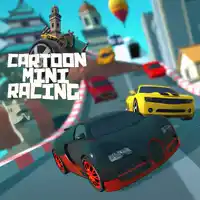
CARTOON MINI RACING















SIMILAR GAMES
































Game Description


Cartoon Mini Racing - KBH Games
About Cartoon Mini Racing - KBH Games
Welcome to a vibrant world where speed meets style in Cartoon Mini Racing hosted on KBH Games. This browser based experience brings together colorful characters, dynamic tracks, and intuitive controls to deliver an engaging adventure for players of all ages. The game is designed to be accessible directly through a web browser without the need for additional downloads or installations.
Our team at KBH Games has focused on creating a seamless blend of retro aesthetics and modern gameplay mechanics. Each track is crafted with bright graphics, playful sound effects, and a variety of obstacles that challenge each participant to refine their racing skills. The platform encourages replayability by offering diverse vehicles, customizable upgrades, and competitive leaderboards.
Gameplay Overview
The core of Mini Racing revolves around fast paced competition across multiple stages. Players control cartoonish cars that accelerate, drift, and perform stunts to gain an advantage over opponents. The mechanics emphasize quick reflexes and strategic positioning, rewarding daring maneuvers with bonus points.
- Multiple racing modes, including time trials and head to head contests.
- Power ups scattered throughout each track that enhance speed or provide defensive shields.
- Progressive difficulty that scales with the player’s skill level.
Key Features
Every element of the game has been designed to maximize enjoyment and replay value. Below are some of the standout attributes that set Cartoon Mini Racing apart.
- Diverse Vehicle Selection – Choose from a roster of uniquely styled cars, each with distinct handling characteristics.
- Dynamic Environments – Race through vibrant cityscapes, whimsical fantasy realms, and challenging obstacle courses.
- Customization Options – Unlock skins, upgrade performance attributes, and personalize your ride.
- Multiplayer Connectivity – Compete against friends or global participants via integrated online matches.
How to Play
Getting started is straightforward. Follow these steps to begin your racing journey on KBH Games.
- Navigate to the official page at https://kbhgame.gitlab.io/.
- Select Cartoon Mini Racing from the featured list.
- Choose a preferred vehicle and customize your settings.
- Enter the race track and use arrow keys or on‑screen controls to accelerate, steer, and activate power ups.
- Cross the finish line first to claim victory and earn rewards.
Tips and Strategies
Mastering Mini Racing requires a combination of skill and foresight. Consider the following tactics to boost your performance.
- Utilize drift mechanics on sharp turns to maintain higher speeds.
- Collect power ups strategically; timing their use can turn the tide of a race.
- Study each track layout to anticipate obstacles and plan optimal racing lines.
- Upgrade your vehicle’s acceleration before focusing on top speed for early race dominance.
Visual and Audio Design
The artistic direction of Cartoon Mini Racing embraces bold colors, smooth animations, and expressive character designs. Every environment is crafted to provide visual clarity, ensuring players can react swiftly to changing terrains. Complementary sound effects and upbeat background music enhance the energetic atmosphere, keeping participants immersed throughout each session.
Community and Updates
KBH Games fosters an active community where players share strategies, high scores, and fan artwork. Regular updates introduce new tracks, vehicles, and seasonal events that keep the experience fresh. Engaging with the community through forums and social channels provides valuable insights and opportunities to collaborate on friendly competitions.
Conclusion
Cartoon Mini Racing on KBH Games offers an exhilarating blend of accessibility, creativity, and competitive spirit. Whether you are a casual player seeking quick entertainment or a dedicated racer aiming for the top of the leaderboards, this title delivers continuous excitement. Dive into the world of whimsical high speed today and experience the thrill of mini racing like never before.
Play Cartoon Mini Racing for free on KBH Games, the top destination for KBH Games unblocked in the USA! Enjoy thousands of top-tier, browser-based games with no ads and instant access—perfect for school, work, or home. Whether you love action, puzzles, or sports, start playing with just a click or keyboard tap!
Why Choose KBH Games?
Unblocked games are a lifesaver when gaming sites are restricted. At KBH Games, we offer:
- Thousands of Games: Action, puzzles, sports, and more.
- No Downloads: Play instantly in your browser.
- Ad-Free Experience: Focus on fun, not pop-ups.
- Accessible Anywhere: Bypass school or work filters with ease.
Our platform is your go-to hub for free unblocked games, delivering endless entertainment wherever you are.
How to Play Unblocked Games on KBH Games
Getting started is simple! Follow these steps to enjoy unblocked games on KBH Games:
- Visit the Site: Open Chrome, Firefox, or Edge and go to KBH Games. No downloads needed!
- Browse Games: Explore our library of unblocked games—action, adventure, puzzles, and more.
- Pick a Game: Click a title to launch it in fullscreen mode instantly.
- Play Right Away: Most games load in seconds. Adjust settings if available.
- Bypass Blocks: Use our .io/GitLab link to access games on restricted networks.
- Enjoy Ad-Free Fun: Immerse yourself without interruptions.
Game Controls for Top Unblocked Games
Master your favorite unblocked games with these common controls. Check each game’s instructions for specifics.
Action & Platformers (e.g., Stickman, Retro Bowl)
- Arrow Keys/WASD: Move or jump.
- Spacebar: Attack or special moves.
- Shift: Sprint or dodge.
- Mouse Click: Aim or interact.
Puzzles & Strategy (e.g., 2048, Geometry Dash)
- Arrow Keys: Navigate elements.
- Mouse Click/Drag: Select or move items.
- Spacebar: Pause or confirm.
- Enter: Start/restart.
Sports & Racing (e.g., Slope Game)
- Arrow Keys/WASD: Steer or move.
- Spacebar: Jump or accelerate.
- Shift: Brake or boost.
- Mouse: Adjust angles.
Multiplayer & Arcade (e.g., Slither.io)
- Mouse: Guide your character.
- Left Click: Boost or activate.
- Arrow Keys: Move (some titles).
- Spacebar: Pause or special moves.
Tips for Smooth Gameplay on KBH Games
Maximize your fun with these pro tips:
- Read Instructions: Check tutorials on the start screen.
- Adjust Settings: Tweak graphics for lag-free play.
- Use Responsive Gear: Ensure your keyboard/mouse works well.
- Bookmark Us: Save KBH Games for quick access.
- Troubleshoot: Refresh or switch browsers if needed.