DINOSAUR GAME















SIMILAR GAMES
































Game Description


Dinosaur Game - KBH Games
About Dinosaur Game - KBH Games
We deliver an engaging endless runner that challenges reflexes and sparks nostalgia while embracing contemporary web standards. Our development team focuses on precision, performance, and player satisfaction to create an experience that stands out in the competitive gaming landscape.
Gameplay Mechanics
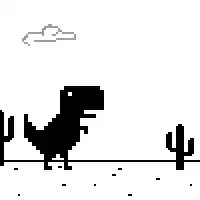
Our core loop revolves around a continuous run where a pixelated dinosaur jumps over obstacles and duckes under incoming hazards. We embed intuitive controls that respond instantly to user input, ensuring smooth momentum throughout each session.
- Simple tap or spacebar activation for jumping
- Automatic forward motion that accelerates gradually
- Progressive speed increase that tests timing
- Scoring system based on distance covered and obstacles cleared
Visual Design and Art Style
We adopt a minimalist aesthetic that combines retro pixel art with crisp modern outlines. The color palette emphasizes high contrast to enhance visibility on various backgrounds, while subtle animations add depth without sacrificing performance.
Key visual elements include:
- Sharp dinosaur silhouette against a scrolling horizon
- Dynamic background elements such as clouds and cacti
- Responsive lighting effects that react to speed changes
- Consistent pixel proportions across all screen sizes
How to Play on Different Devices
Our implementation supports multiple platforms, allowing players to engage from desktop browsers or mobile devices. We optimize input detection to function flawlessly with mouse clicks, touch taps, or keyboard presses.
- Open the game page within any modern browser
- Tap the screen or press the spacebar to initiate a jump
- Use mouse clicks on touchscreens for precise control
- Observe the score counter that updates in real time
For additional guidance, visit KBH Games to explore related titles and updates.
Tips and Strategies
We share proven techniques that help players extend their runs and achieve higher scores.
- Maintain a steady rhythm to anticipate upcoming obstacles
- Focus on timing jumps rather than reacting after collision
- Watch for patterns in obstacle placement that repeat at intervals
- Take short breaks to reset reaction time during extended sessions
Accessibility and Controls
Our interface includes options for customizing control schemes and visual settings, ensuring that players of all abilities can participate comfortably.
Keyboard Controls
Spacebar – Jump
Arrow Up – Alternative jump command
Touch Controls
Single tap on the screen triggers a jump. Long press and hold initiates a continuous jump sequence.
Performance Optimization
We employ efficient coding practices that minimize resource consumption, allowing the game to run smoothly even on low‑end devices. Techniques such as lazy asset loading and reduced image resolution contribute to fast start‑up times and stable frame rates.
Community Feedback and Updates
We actively incorporate player suggestions to refine gameplay balance and introduce new features. Regular updates address bug reports, enhance visual fidelity, and expand the variety of in‑game challenges.
Play Dinosaur Game for free on KBH Games, the top destination for KBH Games unblocked in the USA! Enjoy thousands of top-tier, browser-based games with no ads and instant access—perfect for school, work, or home. Whether you love action, puzzles, or sports, start playing with just a click or keyboard tap!
Why Choose KBH Games?
Unblocked games are a lifesaver when gaming sites are restricted. At KBH Games, we offer:
- Thousands of Games: Action, puzzles, sports, and more.
- No Downloads: Play instantly in your browser.
- Ad-Free Experience: Focus on fun, not pop-ups.
- Accessible Anywhere: Bypass school or work filters with ease.
Our platform is your go-to hub for free unblocked games, delivering endless entertainment wherever you are.
How to Play Unblocked Games on KBH Games
Getting started is simple! Follow these steps to enjoy unblocked games on KBH Games:
- Visit the Site: Open Chrome, Firefox, or Edge and go to KBH Games. No downloads needed!
- Browse Games: Explore our library of unblocked games—action, adventure, puzzles, and more.
- Pick a Game: Click a title to launch it in fullscreen mode instantly.
- Play Right Away: Most games load in seconds. Adjust settings if available.
- Bypass Blocks: Use our .io/GitLab link to access games on restricted networks.
- Enjoy Ad-Free Fun: Immerse yourself without interruptions.
Game Controls for Top Unblocked Games
Master your favorite unblocked games with these common controls. Check each game’s instructions for specifics.
Action & Platformers (e.g., Stickman, Retro Bowl)
- Arrow Keys/WASD: Move or jump.
- Spacebar: Attack or special moves.
- Shift: Sprint or dodge.
- Mouse Click: Aim or interact.
Puzzles & Strategy (e.g., 2048, Geometry Dash)
- Arrow Keys: Navigate elements.
- Mouse Click/Drag: Select or move items.
- Spacebar: Pause or confirm.
- Enter: Start/restart.
Sports & Racing (e.g., Slope Game)
- Arrow Keys/WASD: Steer or move.
- Spacebar: Jump or accelerate.
- Shift: Brake or boost.
- Mouse: Adjust angles.
Multiplayer & Arcade (e.g., Slither.io)
- Mouse: Guide your character.
- Left Click: Boost or activate.
- Arrow Keys: Move (some titles).
- Spacebar: Pause or special moves.
Tips for Smooth Gameplay on KBH Games
Maximize your fun with these pro tips:
- Read Instructions: Check tutorials on the start screen.
- Adjust Settings: Tweak graphics for lag-free play.
- Use Responsive Gear: Ensure your keyboard/mouse works well.
- Bookmark Us: Save KBH Games for quick access.
- Troubleshoot: Refresh or switch browsers if needed.