FASTLANE FRENZY















SIMILAR GAMES
































Game Description


Fastlane Frenzy - KBH Games
About Fastlane Frenzy - KBH Games
Welcome to an in‑depth exploration of Fastlane Frenzy, the flagship offering from KBH Games. This article delivers a comprehensive overview of the title’s design philosophy, core mechanics, and the vibrant community that surrounds it. Every section is crafted to provide readers with valuable insights that deepen appreciation and enhance mastery of the experience.
Game Overview
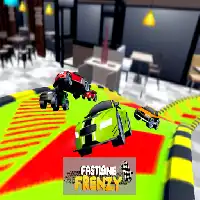
Fastlane Frenzy combines high‑octane racing with strategic lane management, creating a dynamic environment where split‑second decisions dictate success. Players navigate procedurally generated tracks that shift in speed, obstacles, and power‑up placement, demanding both reflexes and tactical foresight. The title’s visual style blends neon‑bright aesthetics with sleek, minimalist UI elements, ensuring clarity while immersing participants in an electrifying atmosphere.
Core Mechanics
The gameplay revolves around three primary actions: acceleration, lane switching, and boost activation. Each mechanic is tightly integrated, allowing seamless transitions that reward precision. Acceleration is governed by a meter that fills as players maintain optimal speed, while lane switching consumes a small cooldown period, encouraging thoughtful positioning. Boost activation delivers a temporary surge, but its effectiveness scales with the player’s current lane occupancy, adding a layer of strategic depth.
Key Features
Fastlane Frenzy offers a suite of features designed to sustain engagement:
- Dynamic track generation that adapts to player performance
- Multiple vehicle classes, each with unique handling characteristics
- Power‑up variety, including speed boosts, shield generators, and lane‑clearers
- Leaderboards that track personal bests and community rankings
- Customization options for visual skins and vehicle upgrades
These elements combine to create a rich, replayable experience that appeals to both casual enthusiasts and competitive strategists.
Strategic Tips
Success in Fastlane Frenzy hinges on mastering a few essential tactics:
- Anticipate lane changes by observing upcoming obstacle patterns
- Conserve boost resources for high‑density sections rather than expending them early
- Maintain a balanced acceleration curve to avoid premature meter depletion
- Utilize power‑ups strategically, targeting moments when competitors are vulnerable
- Study community replays to identify advanced positioning techniques
Applying these strategies will sharpen reflexes, improve decision‑making, and elevate overall performance.
Community & Updates
The KBH Games ecosystem thrives on active community participation. Forums host discussions ranging from technical feedback to speculative futurefeatures, while social media channels provide real‑time announcements about patches and events. Regular updates introduce fresh content, such as limited‑time challenges and seasonal vehicle themes, ensuring the experience remains vibrant and ever‑evolving.
Future Roadmap
Looking ahead, the development team at KBH Games has outlined several ambitious milestones:
- Implementation of multiplayer matchmaking for synchronized competition
- Expansion of the track library with themed environments
- Integration of achievements and reward systems to recognize skill progression
- Enhanced customization tools for deeper personalization of vehicles
- Optimization of performance across diverse hardware configurations
These initiatives aim to solidify Fastlane Frenzy as a cornerstone of the platform’s offerings, delivering continued excitement and innovation to its dedicated player base.
Play Fastlane Frenzy for free on KBH Games, the top destination for KBH Games unblocked in the USA! Enjoy thousands of top-tier, browser-based games with no ads and instant access—perfect for school, work, or home. Whether you love action, puzzles, or sports, start playing with just a click or keyboard tap!
Why Choose KBH Games?
Unblocked games are a lifesaver when gaming sites are restricted. At KBH Games, we offer:
- Thousands of Games: Action, puzzles, sports, and more.
- No Downloads: Play instantly in your browser.
- Ad-Free Experience: Focus on fun, not pop-ups.
- Accessible Anywhere: Bypass school or work filters with ease.
Our platform is your go-to hub for free unblocked games, delivering endless entertainment wherever you are.
How to Play Unblocked Games on KBH Games
Getting started is simple! Follow these steps to enjoy unblocked games on KBH Games:
- Visit the Site: Open Chrome, Firefox, or Edge and go to KBH Games. No downloads needed!
- Browse Games: Explore our library of unblocked games—action, adventure, puzzles, and more.
- Pick a Game: Click a title to launch it in fullscreen mode instantly.
- Play Right Away: Most games load in seconds. Adjust settings if available.
- Bypass Blocks: Use our .io/GitLab link to access games on restricted networks.
- Enjoy Ad-Free Fun: Immerse yourself without interruptions.
Game Controls for Top Unblocked Games
Master your favorite unblocked games with these common controls. Check each game’s instructions for specifics.
Action & Platformers (e.g., Stickman, Retro Bowl)
- Arrow Keys/WASD: Move or jump.
- Spacebar: Attack or special moves.
- Shift: Sprint or dodge.
- Mouse Click: Aim or interact.
Puzzles & Strategy (e.g., 2048, Geometry Dash)
- Arrow Keys: Navigate elements.
- Mouse Click/Drag: Select or move items.
- Spacebar: Pause or confirm.
- Enter: Start/restart.
Sports & Racing (e.g., Slope Game)
- Arrow Keys/WASD: Steer or move.
- Spacebar: Jump or accelerate.
- Shift: Brake or boost.
- Mouse: Adjust angles.
Multiplayer & Arcade (e.g., Slither.io)
- Mouse: Guide your character.
- Left Click: Boost or activate.
- Arrow Keys: Move (some titles).
- Spacebar: Pause or special moves.
Tips for Smooth Gameplay on KBH Games
Maximize your fun with these pro tips:
- Read Instructions: Check tutorials on the start screen.
- Adjust Settings: Tweak graphics for lag-free play.
- Use Responsive Gear: Ensure your keyboard/mouse works well.
- Bookmark Us: Save KBH Games for quick access.
- Troubleshoot: Refresh or switch browsers if needed.