FNAF















SIMILAR GAMES
































Game Description


FNAF - KBH Games
About FNAF - KBH Games
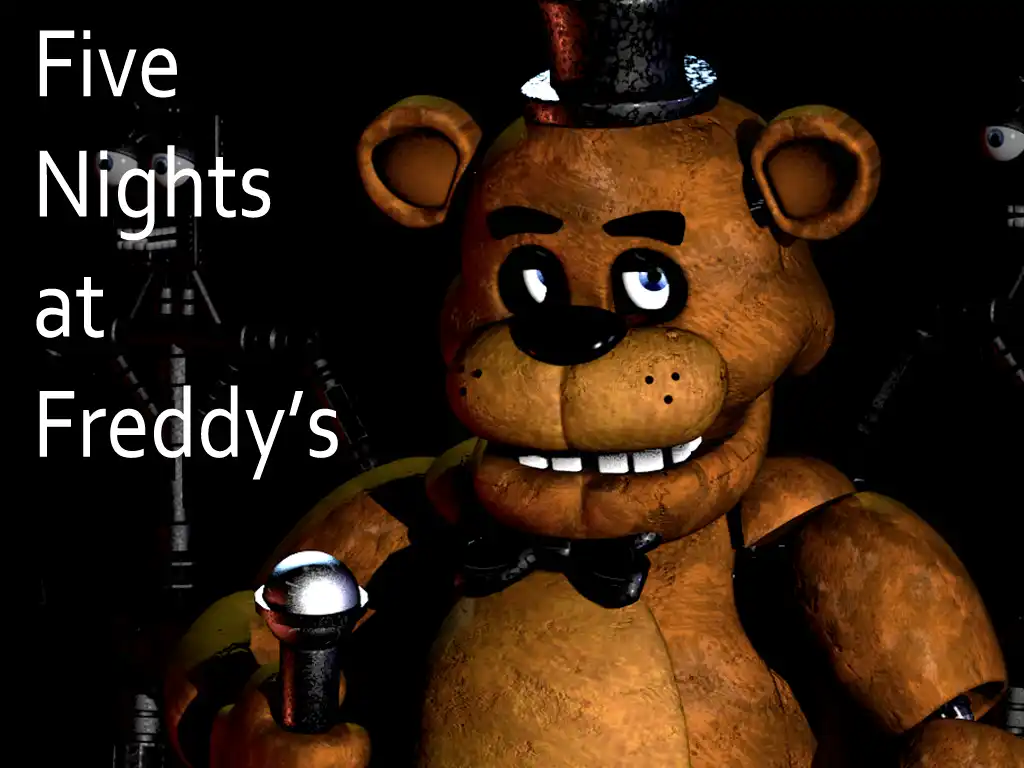
We provide an immersive exploration of Five Nights at Freddy's as it appears on KBH Games, a platform that aggregates the most engaging fan‑made and official titles. Our analysis delves into the evolution of the series, the mechanics that define each installment, and the community-driven innovations that keep the franchise fresh. By examining gameplay loops, narrative depth, and visual design, we aim to deliver a comprehensive resource that satisfies both newcomers and seasoned fans.
Core Gameplay Mechanics
In each title, players assume the role of a night‑shift security guard tasked with monitoring animatronic characters through a network of surveillance cameras. The primary objective revolves around managing limited power resources while preventing the hostile entities from reaching the office. Strategic planning and quick reflexes become essential as the difficulty escalates with each successive night. Key elements include:
- Power management – conserving energy to keep doors and lights operational.
- Camera navigation – monitoring multiple feeds to anticipate enemy movements.
- Audio cues – listening for distinct sounds that signal an approaching animatronic.
Narrative Layers and Lore
Beyond the surface‑level scares, the series weaves a complex storyline involving tragic backstories, hidden messages, and cryptic symbolism. Each game introduces new fragments of the overarching plot, encouraging players to piece together the mystery through environmental storytelling. Our feature highlights:
- The significance of the “Fazbear” brand and its connection to the fictional restaurant chain.
- Interpretations of hidden Easter eggs that reference real‑world events.
- Speculative theories surrounding the fate of the protagonist and supporting characters.
Visual and Audio Design
The aesthetic choices in Five Nights at Freddy's combine retro‑style 2D sprites with modern 3D models, creating a stark contrast that amplifies tension. Ambient soundscapes, punctuated by sudden metallic clanks and unsettling whispers, heighten the sense of dread. Notable aspects include:
- Color palettes that shift from warm, inviting tones to cold, desaturated hues as the night progresses.
- Dynamic lighting effects that simulate flickering fluorescent bulbs and intermittent camera glitches.
- Voice acting and narrated logs that provide contextual clues without explicit exposition.
Community Engagement on KBH Games
Our platform encourages interaction among fans through discussion boards, fan art showcases, and collaborative strategy guides. By visiting KBH Game, users can share their own interpretations, submit custom modifications, and contribute to a growing repository of fan‑generated content. Features that enhance community participation include:
- Comment sections beneath each game page for real‑time feedback.
- Leaderboards that track completion times and challenge scores.
- Seasonal events that introduce limited‑time challenges and exclusive rewards.
Future Developments and Anticipated Updates
Looking ahead, the development team behind Five Nights at Freddy's hints at expanded storytelling avenues, refined mechanics, and cross‑platform compatibility. Anticipated updates may encompass:
- Enhanced AI behaviors that adapt to player patterns, increasing unpredictability.
- Additional lore entries that deepen the mythos and resolve lingering plot threads.
- Multiplayer modes that allow cooperative or competitive play within the same security environment.
How to Access and Play
All titles within the FNAF collection are freely available through the KBH Games portal. To begin playing, simply navigate to the designated section on KBH Game, select the desired installment, and follow the on‑screen instructions to start the night shift. No downloads or installations are required, enabling instant access across a variety of devices.
Tips for New Players
For those venturing into the world of Five Nights at Freddy's for the first time, mastering the fundamentals can dramatically improve survival odds. Consider the following recommendations:
- Prioritize door closure during moments of heightened animatronic activity.
- Conserve power by turning off lights when enemies are not in immediate proximity.
- Listen attentively to audio cues; a faint metallic shuffle often precedes a camera sighting.
- Take notes on recurring patterns to develop a personal strategy for each night.
By embracing these practices, players can experience the full depth of tension and narrative richness that Five Nights at Freddy's offers, all within the vibrant ecosystem provided by KBH Games.
Play FNAF for free on KBH Games, the top destination for KBH Games unblocked in the USA! Enjoy thousands of top-tier, browser-based games with no ads and instant access—perfect for school, work, or home. Whether you love action, puzzles, or sports, start playing with just a click or keyboard tap!
Why Choose KBH Games?
Unblocked games are a lifesaver when gaming sites are restricted. At KBH Games, we offer:
- Thousands of Games: Action, puzzles, sports, and more.
- No Downloads: Play instantly in your browser.
- Ad-Free Experience: Focus on fun, not pop-ups.
- Accessible Anywhere: Bypass school or work filters with ease.
Our platform is your go-to hub for free unblocked games, delivering endless entertainment wherever you are.
How to Play Unblocked Games on KBH Games
Getting started is simple! Follow these steps to enjoy unblocked games on KBH Games:
- Visit the Site: Open Chrome, Firefox, or Edge and go to KBH Games. No downloads needed!
- Browse Games: Explore our library of unblocked games—action, adventure, puzzles, and more.
- Pick a Game: Click a title to launch it in fullscreen mode instantly.
- Play Right Away: Most games load in seconds. Adjust settings if available.
- Bypass Blocks: Use our .io/GitLab link to access games on restricted networks.
- Enjoy Ad-Free Fun: Immerse yourself without interruptions.
Game Controls for Top Unblocked Games
Master your favorite unblocked games with these common controls. Check each game’s instructions for specifics.
Action & Platformers (e.g., Stickman, Retro Bowl)
- Arrow Keys/WASD: Move or jump.
- Spacebar: Attack or special moves.
- Shift: Sprint or dodge.
- Mouse Click: Aim or interact.
Puzzles & Strategy (e.g., 2048, Geometry Dash)
- Arrow Keys: Navigate elements.
- Mouse Click/Drag: Select or move items.
- Spacebar: Pause or confirm.
- Enter: Start/restart.
Sports & Racing (e.g., Slope Game)
- Arrow Keys/WASD: Steer or move.
- Spacebar: Jump or accelerate.
- Shift: Brake or boost.
- Mouse: Adjust angles.
Multiplayer & Arcade (e.g., Slither.io)
- Mouse: Guide your character.
- Left Click: Boost or activate.
- Arrow Keys: Move (some titles).
- Spacebar: Pause or special moves.
Tips for Smooth Gameplay on KBH Games
Maximize your fun with these pro tips:
- Read Instructions: Check tutorials on the start screen.
- Adjust Settings: Tweak graphics for lag-free play.
- Use Responsive Gear: Ensure your keyboard/mouse works well.
- Bookmark Us: Save KBH Games for quick access.
- Troubleshoot: Refresh or switch browsers if needed.