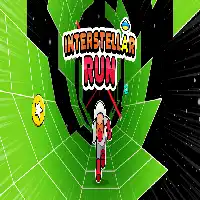
INTERSTELLAR RUN













SIMILAR GAMES
































Game Description


Interstellar Run - KBH Games
About Interstellar Run - KBH Games
Interstellar Run - KBH Games offers an immersive space‑faring experience that combines fast‑paced navigation with strategic decision‑making. Players assume the role of a lone pilot charting a course through procedurally generated star systems, each presenting unique challenges, resources, and narrative elements. The game blends retro‑futuristic aesthetics with modern mechanics, creating an environment that feels both nostalgic and fresh. This overview explores the essential components of Interstellar Run, highlighting its core systems, visual identity, and player strategies.
Gameplay Overview
The central loop of Interstellar Run revolves around piloting a spacecraft through a series of increasingly complex sectors while managing fuel, cargo, and crew morale. Each sector is generated algorithmically, ensuring that no two playthroughs are identical. Players must choose routes that balance risk and reward, encountering anomalies, hostile entities, and hidden stations that can alter the course of the journey.
Core Mechanics
Key mechanics include:
- Navigation Controls: Precision steering using keyboard or controller inputs.
- Resource Management: Monitoring fuel levels, energy reserves, and cargo capacity.
- Combat System: Engaging enemy vessels with modular weaponry and evasive maneuvers.
- Exploration Options: Docking at space stations to trade, upgrade, or gather intelligence.
Progression System
As players advance, they earn achievement points that can be allocated to enhance ship performance, unlock new technologies, or expand the narrative map. Progression is not linear; choices made during earlier runs affect later opportunities, creating a dynamic branching storyline.
Visual Design
Interstellar Run features a distinctive art direction that merges pixel art details with high‑resolution lighting effects. The game’s universe is populated with glowing nebulae, intricate planetary surfaces, and sleek spacecraft models that showcase both simplicity and depth.
Art Style
The visual palette emphasizes contrasting colors: deep purples and blues for cosmic backdrops, complemented by vibrant oranges and greens for ship highlights. Background layers scroll at varying speeds, delivering a parallax effect that enhances the sense of velocity. Environmental details such as asteroid fields, drifting debris, and distant star clusters contribute to an expansive atmosphere.
Player Strategies
Success in Interstellar Run relies on a blend of foresight, adaptability, and tactical execution. Below are essential strategies that can elevate performance.
Early‑Game Tips
During the initial phases, focus on:
- Securing a stable fuel supply by visiting nearby refueling stations.
- Upgrading basic shield systems to withstand early encounters.
- Collecting low‑value cargo to build inventory without overburdening the vessel.
Mid‑Game Tactics
When navigating mid‑complexity sectors, consider the following:
- Planning multi‑stop routes that maximize resource gains while minimizing exposure to hostile zones.
- Utilizing cloaking devices to bypass aggressive patrols.
- Engaging in trade at outpost markets to acquire rare components.
Advanced Strategies
For seasoned pilots aiming for high‑score runs, implement these advanced techniques:
- Mastering drift mechanics to conserve energy during long stretches.
- Exploiting gravitational wells to slingshot toward distant objectives.
- Customizing weapon loadouts based on sector threat assessments.
Community and Updates
Interstellar Run - KBH Games maintains an active community forum where players share tips, post high‑score leaderboards, and suggest feature enhancements. Developers frequently release patches that introduce new sectors, balance adjustments, and cosmetic upgrades. Staying engaged with the community ensures access to evolving content and collaborative events.
Play Interstellar Run for free on KBH Games, the top destination for KBH Games unblocked in the USA! Enjoy thousands of top-tier, browser-based games with no ads and instant access—perfect for school, work, or home. Whether you love action, puzzles, or sports, start playing with just a click or keyboard tap!
Why Choose KBH Games?
Unblocked games are a lifesaver when gaming sites are restricted. At KBH Games, we offer:
- Thousands of Games: Action, puzzles, sports, and more.
- No Downloads: Play instantly in your browser.
- Ad-Free Experience: Focus on fun, not pop-ups.
- Accessible Anywhere: Bypass school or work filters with ease.
Our platform is your go-to hub for free unblocked games, delivering endless entertainment wherever you are.
How to Play Unblocked Games on KBH Games
Getting started is simple! Follow these steps to enjoy unblocked games on KBH Games:
- Visit the Site: Open Chrome, Firefox, or Edge and go to KBH Games. No downloads needed!
- Browse Games: Explore our library of unblocked games—action, adventure, puzzles, and more.
- Pick a Game: Click a title to launch it in fullscreen mode instantly.
- Play Right Away: Most games load in seconds. Adjust settings if available.
- Bypass Blocks: Use our .io/GitLab link to access games on restricted networks.
- Enjoy Ad-Free Fun: Immerse yourself without interruptions.
Game Controls for Top Unblocked Games
Master your favorite unblocked games with these common controls. Check each game’s instructions for specifics.
Action & Platformers (e.g., Stickman, Retro Bowl)
- Arrow Keys/WASD: Move or jump.
- Spacebar: Attack or special moves.
- Shift: Sprint or dodge.
- Mouse Click: Aim or interact.
Puzzles & Strategy (e.g., 2048, Geometry Dash)
- Arrow Keys: Navigate elements.
- Mouse Click/Drag: Select or move items.
- Spacebar: Pause or confirm.
- Enter: Start/restart.
Sports & Racing (e.g., Slope Game)
- Arrow Keys/WASD: Steer or move.
- Spacebar: Jump or accelerate.
- Shift: Brake or boost.
- Mouse: Adjust angles.
Multiplayer & Arcade (e.g., Slither.io)
- Mouse: Guide your character.
- Left Click: Boost or activate.
- Arrow Keys: Move (some titles).
- Spacebar: Pause or special moves.
Tips for Smooth Gameplay on KBH Games
Maximize your fun with these pro tips:
- Read Instructions: Check tutorials on the start screen.
- Adjust Settings: Tweak graphics for lag-free play.
- Use Responsive Gear: Ensure your keyboard/mouse works well.
- Bookmark Us: Save KBH Games for quick access.
- Troubleshoot: Refresh or switch browsers if needed.