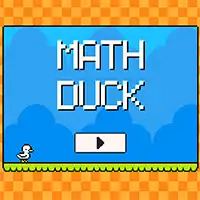
MATH DUCK















SIMILAR GAMES
































Game Description


Math Duck - KBH Games
About Math Duck - KBH Games
Math Duck is an innovative puzzle platform developed by KBH that merges engaging gameplay with challenging mathematical concepts. Players navigate a vibrant world where each level presents a series of logical riddles, spatial puzzles, and arithmetic challenges that require both creative thinking and precise calculation. The game is designed to appeal to students, educators, and puzzle enthusiasts who seek a fun way to reinforce mathematical skills while enjoying a richly illustrated arcade experience.
The core premise of Math Duck revolves around a charming duck character that must traverse a series of increasingly complex environments. Each environment is built around a specific mathematical theme, such as geometry, algebra, probability, or number theory. As players progress, they encounter new obstacles, power‑ups, and interactive elements that deepen the gameplay and encourage mastery of the underlying concepts.
Gameplay Mechanics
The mechanics of Math Duck are intentionally simple to allow quick learning, yet they scale in difficulty to keep even advanced players engaged. Key mechanics include:
- Duck Movement: The duck can swim, jump, or slide across platforms, with each action tied to a specific mathematical operation.
- Equation Nodes: Players encounter nodes that display equations; solving them correctly activates doors, lifts, or bridges.
- Power‑Up Collection: Collectibles such as Prime Potion or Factor Feather grant temporary abilities that simplify problem solving.
- Timer Challenges: Some stages impose time limits, forcing rapid mental arithmetic and strategic planning.
Level Design Overview
Each level in Math Duck is meticulously crafted to reinforce specific mathematical principles while maintaining a cohesive narrative. The design process involves:
- Identifying a target mathematical concept, such as prime numbers or symmetry.
- Creating a visual setting that naturally incorporates the concept, like a forest of geometric shapes or a river of fractions.
- Integrating interactive puzzles that require the player to apply the concept to advance.
- Balancing difficulty through iterative testing, ensuring that the challenge is rewarding without being discouraging.
The result is a series of stages that feel both educational and entertaining, encouraging repeated play to solidify understanding.
Educational Benefits
Math Duck offers several benefits that extend beyond mere entertainment:
- Enhanced Problem‑Solving Skills: Regular exposure to varied mathematical puzzles improves analytical thinking.
- Improved Numerical Fluency: Repetitive solving of equations builds speed and accuracy in basic arithmetic.
- Spatial Reasoning Development: Navigating three‑dimensional platforms strengthens geometry awareness.
- Engagement and Motivation: The game’s rewarding feedback loop keeps learners motivated to practice math in a low‑stakes environment.
Educators can integrate Math Duck into classroom activities, using the game’s levels as supplemental practice or as a basis for group discussions on mathematical concepts.
Community and Multiplayer Features
While Math Duck is primarily a single‑player experience, the platform includes community elements that foster collaboration and competition:
- Leaderboards: Players can compare completion times and scores on specific levels.
- Shared Solutions: A built‑in forum allows users to post strategies, hints, and alternative solutions.
- Co‑Op Mode: Two players can team up to solve particularly demanding puzzles, promoting teamwork.
These features transform Math Duck into a socially engaging tool, encouraging peer learning and collective problem solving.
Technical Implementation Details
The technical architecture of Math Duck leverages modern web standards to deliver smooth performance across devices:
- Responsive design ensures compatibility with desktops, tablets, and smartphones.
- Physics‑based engine handles duck movement and environmental interactions with realistic timing.
- Dynamic equation generator creates random yet solvable problems, preventing repetition.
- Secure web‑based authentication via KBH Game allows progress saving and leaderboard access.
Developers have emphasized modular code structure, making future updates and new level packs straightforward to implement.
Monetization and Accessibility
Math Duck follows a free‑to‑play model with optional cosmetic purchases that do not affect gameplay balance. All core educational content remains accessible without cost, ensuring inclusivity for learners of all backgrounds. Accessibility features include:
- Adjustable font sizes and color contrast settings for visual clarity.
- Audio cues that describe equation prompts for users with visual impairments.
- Customizable control schemes to accommodate different input devices.
These measures align with best practices for inclusive game design and broaden the game’s reach.
Future Roadmap
Upcoming developments for Math Duck aim to expand both the educational scope and the player experience:
- Introduction of new mathematical domains, such as calculus basics and probability theory.
- Expansion packs featuring themed worlds inspired by real‑world scenarios, like finance or engineering.
- Enhanced multiplayer modes, including timed tournaments and collaborative story quests.
- Integration with educational platforms, enabling teachers to assign specific levels as homework.
These initiatives are designed to keep the game fresh, challenging, and relevant in the ever‑evolving landscape of educational entertainment.
Conclusion
Math Duck stands as a distinctive fusion of fun and learning, offering players an immersive journey through mathematical concepts while delivering an enjoyable arcade experience. Its thoughtful level design, robust educational framework, and community‑driven features make it a valuable resource for anyone looking to strengthen math skills in an interactive setting. By continually expanding its content and improving accessibility, Math Duck aspires to become a staple in both personal study routines and classroom curricula.
Play Math Duck for free on KBH Games, the top destination for KBH Games unblocked in the USA! Enjoy thousands of top-tier, browser-based games with no ads and instant access—perfect for school, work, or home. Whether you love action, puzzles, or sports, start playing with just a click or keyboard tap!
Why Choose KBH Games?
Unblocked games are a lifesaver when gaming sites are restricted. At KBH Games, we offer:
- Thousands of Games: Action, puzzles, sports, and more.
- No Downloads: Play instantly in your browser.
- Ad-Free Experience: Focus on fun, not pop-ups.
- Accessible Anywhere: Bypass school or work filters with ease.
Our platform is your go-to hub for free unblocked games, delivering endless entertainment wherever you are.
How to Play Unblocked Games on KBH Games
Getting started is simple! Follow these steps to enjoy unblocked games on KBH Games:
- Visit the Site: Open Chrome, Firefox, or Edge and go to KBH Games. No downloads needed!
- Browse Games: Explore our library of unblocked games—action, adventure, puzzles, and more.
- Pick a Game: Click a title to launch it in fullscreen mode instantly.
- Play Right Away: Most games load in seconds. Adjust settings if available.
- Bypass Blocks: Use our .io/GitLab link to access games on restricted networks.
- Enjoy Ad-Free Fun: Immerse yourself without interruptions.
Game Controls for Top Unblocked Games
Master your favorite unblocked games with these common controls. Check each game’s instructions for specifics.
Action & Platformers (e.g., Stickman, Retro Bowl)
- Arrow Keys/WASD: Move or jump.
- Spacebar: Attack or special moves.
- Shift: Sprint or dodge.
- Mouse Click: Aim or interact.
Puzzles & Strategy (e.g., 2048, Geometry Dash)
- Arrow Keys: Navigate elements.
- Mouse Click/Drag: Select or move items.
- Spacebar: Pause or confirm.
- Enter: Start/restart.
Sports & Racing (e.g., Slope Game)
- Arrow Keys/WASD: Steer or move.
- Spacebar: Jump or accelerate.
- Shift: Brake or boost.
- Mouse: Adjust angles.
Multiplayer & Arcade (e.g., Slither.io)
- Mouse: Guide your character.
- Left Click: Boost or activate.
- Arrow Keys: Move (some titles).
- Spacebar: Pause or special moves.
Tips for Smooth Gameplay on KBH Games
Maximize your fun with these pro tips:
- Read Instructions: Check tutorials on the start screen.
- Adjust Settings: Tweak graphics for lag-free play.
- Use Responsive Gear: Ensure your keyboard/mouse works well.
- Bookmark Us: Save KBH Games for quick access.
- Troubleshoot: Refresh or switch browsers if needed.