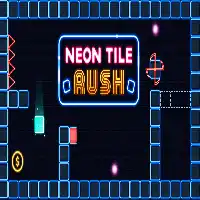
NEON TILE RUSH















SIMILAR GAMES
































Game Description


Neon Tile Rush - KBH Games
About Neon Tile Rush - KBH Games
Neon Tile Rush is a fast‑paced puzzle platformer hosted on KBH Game that challenges players to navigate a glowing grid of tiles while avoiding hazards and collecting rewards. The game blends retro aesthetics with modern visual effects, creating an immersive experience that appeals to casual gamers and speed‑run enthusiasts alike.
Visual Design and Art Style
The visual identity of Neon Tile Rush revolves around vibrant neon colors, sleek geometric shapes, and fluid animations. Each level features a distinct color palette, ranging from electric blues to hot pinks, ensuring that the gameplay remains visually stimulating throughout extended sessions. Background music syncs with color shifts, reinforcing the rhythmic flow of each stage.
Core Gameplay Mechanics
At its foundation, Neon Tile Rush relies on simple yet deep mechanic:
- Movement: Players control a square avatar using arrow keys or on‑screen swipes, moving across adjacent tiles.
- Jumping: Holding the jump button propels the avatar upward, allowing access to higher platforms.
- Tile Interaction: Stepping on certain tiles triggers effects such as speed boosts, temporary shields, or point multipliers.
- Time Management: Levels are timed, encouraging players to complete objectives efficiently.
Progressive Level Design
Each stage introduces new obstacles and puzzle elements, preserving a sense of progression. Early levels focus on straightforward navigation, while later stages incorporate moving platforms, rotating tiles, and complex chain reactions that demand strategic planning. The difficulty curve is calibrated to reward mastery of earlier mechanics before presenting more intricate challenges.
Reward System and Scoring
The scoring mechanism in Neon Tile Rush incentivizes efficient play. Points are awarded based on:
- Number of tiles traversed without collision.
- Collectibles gathered, such as neon orbs or power‑ups.
- Time remaining when completing a level.
- Combo chains formed by consecutive actions.
Accumulated points unlock additional skins and customization options for the avatar, fostering long‑term engagement.
Tips for Mastery
To excel in Neon Tile Rush, consider the following strategies:
- Plan Ahead: Anticipate upcoming tile patterns before committing to a path.
- Utilize Power‑Ups: Activate speed boosts at optimal moments to traverse difficult sections quickly.
- Practice Timing: Perfect jump timing reduces unnecessary backtracking.
- Observe Patterns: Many hazards follow predictable cycles; learning these cycles accelerates progress.
Community and Updates
Regular updates are released on KBH Game, introducing new levels, visual enhancements, and balancing tweaks. The community actively shares strategies through forums, contributing to a collaborative environment where players can exchange insights and refine their techniques.
Accessibility Features
Neon Tile Rush includes adjustable difficulty settings, color‑blind mode options, and customizable control schemes, ensuring that a broad audience can enjoy the game without barriers.
Future Vision
The development team envisions expanding Neon Tile Rush with multiplayer modes, seasonal events, and user‑generated content. By integrating community feedback, the game aims to evolve into a dynamic platform that retains its core thrill while offering fresh experiences.
Overall, Neon Tile Rush stands out as a compelling blend of addictive gameplay, striking visuals, and depth that rewards skillful execution. Whether players seek brief bursts of excitement or intensive speed‑run challenges, the game delivers a consistently engaging experience on KBH Game.
Play Neon Tile Rush for free on KBH Games, the top destination for KBH Games unblocked in the USA! Enjoy thousands of top-tier, browser-based games with no ads and instant access—perfect for school, work, or home. Whether you love action, puzzles, or sports, start playing with just a click or keyboard tap!
Why Choose KBH Games?
Unblocked games are a lifesaver when gaming sites are restricted. At KBH Games, we offer:
- Thousands of Games: Action, puzzles, sports, and more.
- No Downloads: Play instantly in your browser.
- Ad-Free Experience: Focus on fun, not pop-ups.
- Accessible Anywhere: Bypass school or work filters with ease.
Our platform is your go-to hub for free unblocked games, delivering endless entertainment wherever you are.
How to Play Unblocked Games on KBH Games
Getting started is simple! Follow these steps to enjoy unblocked games on KBH Games:
- Visit the Site: Open Chrome, Firefox, or Edge and go to KBH Games. No downloads needed!
- Browse Games: Explore our library of unblocked games—action, adventure, puzzles, and more.
- Pick a Game: Click a title to launch it in fullscreen mode instantly.
- Play Right Away: Most games load in seconds. Adjust settings if available.
- Bypass Blocks: Use our .io/GitLab link to access games on restricted networks.
- Enjoy Ad-Free Fun: Immerse yourself without interruptions.
Game Controls for Top Unblocked Games
Master your favorite unblocked games with these common controls. Check each game’s instructions for specifics.
Action & Platformers (e.g., Stickman, Retro Bowl)
- Arrow Keys/WASD: Move or jump.
- Spacebar: Attack or special moves.
- Shift: Sprint or dodge.
- Mouse Click: Aim or interact.
Puzzles & Strategy (e.g., 2048, Geometry Dash)
- Arrow Keys: Navigate elements.
- Mouse Click/Drag: Select or move items.
- Spacebar: Pause or confirm.
- Enter: Start/restart.
Sports & Racing (e.g., Slope Game)
- Arrow Keys/WASD: Steer or move.
- Spacebar: Jump or accelerate.
- Shift: Brake or boost.
- Mouse: Adjust angles.
Multiplayer & Arcade (e.g., Slither.io)
- Mouse: Guide your character.
- Left Click: Boost or activate.
- Arrow Keys: Move (some titles).
- Spacebar: Pause or special moves.
Tips for Smooth Gameplay on KBH Games
Maximize your fun with these pro tips:
- Read Instructions: Check tutorials on the start screen.
- Adjust Settings: Tweak graphics for lag-free play.
- Use Responsive Gear: Ensure your keyboard/mouse works well.
- Bookmark Us: Save KBH Games for quick access.
- Troubleshoot: Refresh or switch browsers if needed.