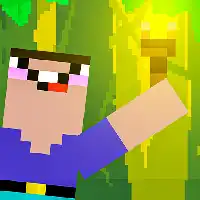
NOOB TORCH FLIP 2D















SIMILAR GAMES
































Game Description


Noob Torch Flip 2D - KBH Games
About Noob Torch Flip 2D - KBH Games
Noob Torch Flip 2D is an addictive physics‑based puzzle platformer hosted on the KBH Game portal. The title challenges players to flip a torch across a series of increasingly complex 2D levels, requiring precision timing and strategic placement of obstacles. Each stage is designed to test spatial awareness while rewarding creativity in problem solving.
Game Overview
The core premise revolves around guiding a luminous torch from a starting point to a designated exit portal using a series of flips and rotations. Players must account for momentum, gravity, and environmental hazards such as spikes, moving platforms, and wind gusts. Progression is measured by completing levels in the fewest attempts, encouraging mastery of the game’s subtle mechanics.
Visual Style
The aesthetic embraces a clean, minimalist art direction. Bright neon colors contrast against dark backgrounds, highlighting the torch’s glow and emphasizing the geometric layout of each level. Simple sprite designs keep the focus on gameplay while providing a visually appealing experience that runs smoothly on a wide range of devices.
Gameplay Mechanics
Understanding the mechanics is essential for success. The following elements define the interactive experience:
- Flip Timing: Players must click or tap at the optimal moment to launch the torch into a flip arc.
- Rotation Control: Holding the input longer extends the rotation, allowing for tighter control over trajectory.
- Physics Integration: Momentum carries the torch forward, and any collision with obstacles resets the attempt.
- Environmental Interaction: Certain platforms can be activated to create temporary pathways or alter gravitational pull.
Each mechanic is introduced gradually, ensuring that newcomers can grasp fundamentals before confronting more intricate challenges.
Level Design
Levels are meticulously crafted to introduce new obstacles while reinforcing previously learned skills. Early stages feature straightforward flips across open space, whereas later stages incorporate layered platforms, rotating hazards, and timed switches. The design philosophy encourages experimentation, rewarding players who discover alternative routes or shortcuts.
Progression and Rewards
Completion of a level unlocks the next stage and grants access to cosmetic upgrades for the torch. These upgrades are purely aesthetic, allowing players to personalize the visual appearance without affecting gameplay balance. Additionally, hidden collectibles scattered throughout levels provide an extra layer of challenge for completionists.
Community and Updates
The game benefits from an active community that shares strategies, tips, and user‑generated content. Regular updates from the developers introduce fresh levels, refined physics tweaks, and occasional themed events that keep the experience dynamic. Feedback loops ensure that player suggestions directly influence future development priorities.
How to Play
To start playing Noob Torch Flip 2D, navigate to the official website and locate the game’s page. Once loaded, select the Play button to begin the first tutorial level. Follow the on‑screen prompts to learn basic flip controls, then progress through each stage at your own pace.
Tips for New Players
Mastering the game requires practice and attention to detail. Consider the following advice:
- Watch the trajectory: Visualize the arc before executing the flip.
- Use short taps: Precise short taps often yield better control than long presses.
- Anticipate wind effects: Some levels feature gusts that shift the torch’s path mid‑air.
- Study obstacle patterns: Many hazards follow predictable cycles; timing your flip accordingly can save attempts.
By integrating these strategies, players can reduce failure rates and improve overall efficiency.
Final Thoughts
Noob Torch Flip 2D offers a compelling blend of simplicity and depth, making it accessible to beginners while providing enough complexity to engage seasoned gamers. Its polished mechanics, attractive visual design, and continually evolving content ensure a rewarding experience that stands out within the 2D puzzle platformer genre. Dive into the world of torch flipping today and discover the satisfaction of mastering each intricate level.
Play Noob Torch Flip 2D for free on KBH Games, the top destination for KBH Games unblocked in the USA! Enjoy thousands of top-tier, browser-based games with no ads and instant access—perfect for school, work, or home. Whether you love action, puzzles, or sports, start playing with just a click or keyboard tap!
Why Choose KBH Games?
Unblocked games are a lifesaver when gaming sites are restricted. At KBH Games, we offer:
- Thousands of Games: Action, puzzles, sports, and more.
- No Downloads: Play instantly in your browser.
- Ad-Free Experience: Focus on fun, not pop-ups.
- Accessible Anywhere: Bypass school or work filters with ease.
Our platform is your go-to hub for free unblocked games, delivering endless entertainment wherever you are.
How to Play Unblocked Games on KBH Games
Getting started is simple! Follow these steps to enjoy unblocked games on KBH Games:
- Visit the Site: Open Chrome, Firefox, or Edge and go to KBH Games. No downloads needed!
- Browse Games: Explore our library of unblocked games—action, adventure, puzzles, and more.
- Pick a Game: Click a title to launch it in fullscreen mode instantly.
- Play Right Away: Most games load in seconds. Adjust settings if available.
- Bypass Blocks: Use our .io/GitLab link to access games on restricted networks.
- Enjoy Ad-Free Fun: Immerse yourself without interruptions.
Game Controls for Top Unblocked Games
Master your favorite unblocked games with these common controls. Check each game’s instructions for specifics.
Action & Platformers (e.g., Stickman, Retro Bowl)
- Arrow Keys/WASD: Move or jump.
- Spacebar: Attack or special moves.
- Shift: Sprint or dodge.
- Mouse Click: Aim or interact.
Puzzles & Strategy (e.g., 2048, Geometry Dash)
- Arrow Keys: Navigate elements.
- Mouse Click/Drag: Select or move items.
- Spacebar: Pause or confirm.
- Enter: Start/restart.
Sports & Racing (e.g., Slope Game)
- Arrow Keys/WASD: Steer or move.
- Spacebar: Jump or accelerate.
- Shift: Brake or boost.
- Mouse: Adjust angles.
Multiplayer & Arcade (e.g., Slither.io)
- Mouse: Guide your character.
- Left Click: Boost or activate.
- Arrow Keys: Move (some titles).
- Spacebar: Pause or special moves.
Tips for Smooth Gameplay on KBH Games
Maximize your fun with these pro tips:
- Read Instructions: Check tutorials on the start screen.
- Adjust Settings: Tweak graphics for lag-free play.
- Use Responsive Gear: Ensure your keyboard/mouse works well.
- Bookmark Us: Save KBH Games for quick access.
- Troubleshoot: Refresh or switch browsers if needed.