PARKING FURY 2















SIMILAR GAMES
































Game Description


Parking Fury 2 - KBH Games
About Parking Fury 2 - KBH Games
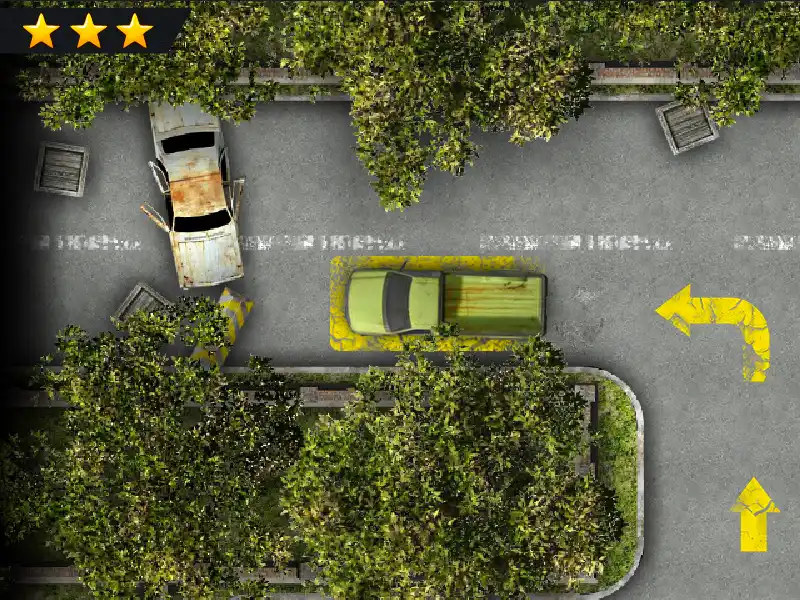
Parking Fury 2 is an exciting online game that challenges players to navigate crowded streets, tight parking lots, and demanding obstacles with precision and speed. Developed by the talented team at KBH Games, this title builds on the success of its predecessor by introducing refined mechanics, enhanced graphics, and a variety of new levels that test reflexes and strategic thinking.
Gameplay Overview
In Parking Fury 2 players assume the role of a skilled driver who must park a series of vehicles in increasingly complex scenarios. Each level presents a distinct environment, ranging from downtown city centers to suburban parking garages, and requires the player to maneuver around moving traffic, avoid pedestrians, and complete parking tasks within strict time limits. The controls are intuitive, allowing for smooth steering, braking, and acceleration, while the physics engine provides realistic vehicle response, making each parking maneuver feel authentic.
Vehicle Selection
The game offers a diverse fleet of automobiles, each with unique handling characteristics. From compact sedans to bulky trucks, players can choose a vehicle that matches their preferred play style. Unlocking new cars is tied to earning achievements, encouraging repeated gameplay to expand the collection.
Key Features
- Realistic Physics Engine that simulates weight distribution, tire grip, and momentum.
- Dynamic Traffic System with AI drivers that react unpredictably.
- Multiple Camera Angles providing first‑person and third‑person views for immersive gameplay.
- Achievement System rewarding skillful parking, time trials, and flawless maneuvers.
- Customization Options allowing players to personalize vehicle colors and accessories.
How to Play
To begin, select a level from the main menu and choose your preferred vehicle. Use the arrow keys or on‑screen buttons to control steering, acceleration, and braking. The objective is to park the car within the marked space without colliding with obstacles or other vehicles. Successful parking awards points and unlocks additional levels. For those seeking a greater challenge, time‑attack modes impose tighter deadlines and stricter scoring criteria.
Tips for Mastery
Mastering Parking Fury 2 requires practice and attention to detail. Below is a list of strategies that can help players improve their performance:
- Observe Traffic Patterns before making a move; anticipate the actions of other vehicles.
- Plan Your Approach by aligning the car with the parking spot before initiating the maneuver.
- Use Small Adjustments rather than large, jerky movements to maintain control.
- Practice Reverse Parking in open areas to build confidence for tighter spaces.
- Upgrade Vehicle Handling through in‑game upgrades to improve precision.
Progression and Rewards
Advancing through Parking Fury 2 unlocks new environments and more demanding parking scenarios. Each completed level grants experience points, which contribute to leveling up and accessing exclusive content. Seasonal events often introduce limited‑time challenges that provide unique rewards, encouraging players to return regularly for fresh experiences.
Community and Support
The game features an online leaderboard where players can compare scores with friends and rivals worldwide. Forums hosted on the KBH Games platform allow enthusiasts to share tips, discuss strategies, and report bugs. Official support channels provide assistance for technical issues, ensuring a smooth and enjoyable experience for all users.
Conclusion
Parking Fury 2 stands out as a compelling entry in the realm of online parking simulations, offering a blend of realistic mechanics, engaging challenges, and customizable options. Whether you are a casual gamer looking for a quick diversion or a seasoned player seeking mastery, the game delivers endless entertainment through its diverse levels and evolving gameplay. Experience the thrill of perfect parking on the KBH Games platform.
Play Parking fury 2 for free on KBH Games, the top destination for KBH Games unblocked in the USA! Enjoy thousands of top-tier, browser-based games with no ads and instant access—perfect for school, work, or home. Whether you love action, puzzles, or sports, start playing with just a click or keyboard tap!
Why Choose KBH Games?
Unblocked games are a lifesaver when gaming sites are restricted. At KBH Games, we offer:
- Thousands of Games: Action, puzzles, sports, and more.
- No Downloads: Play instantly in your browser.
- Ad-Free Experience: Focus on fun, not pop-ups.
- Accessible Anywhere: Bypass school or work filters with ease.
Our platform is your go-to hub for free unblocked games, delivering endless entertainment wherever you are.
How to Play Unblocked Games on KBH Games
Getting started is simple! Follow these steps to enjoy unblocked games on KBH Games:
- Visit the Site: Open Chrome, Firefox, or Edge and go to KBH Games. No downloads needed!
- Browse Games: Explore our library of unblocked games—action, adventure, puzzles, and more.
- Pick a Game: Click a title to launch it in fullscreen mode instantly.
- Play Right Away: Most games load in seconds. Adjust settings if available.
- Bypass Blocks: Use our .io/GitLab link to access games on restricted networks.
- Enjoy Ad-Free Fun: Immerse yourself without interruptions.
Game Controls for Top Unblocked Games
Master your favorite unblocked games with these common controls. Check each game’s instructions for specifics.
Action & Platformers (e.g., Stickman, Retro Bowl)
- Arrow Keys/WASD: Move or jump.
- Spacebar: Attack or special moves.
- Shift: Sprint or dodge.
- Mouse Click: Aim or interact.
Puzzles & Strategy (e.g., 2048, Geometry Dash)
- Arrow Keys: Navigate elements.
- Mouse Click/Drag: Select or move items.
- Spacebar: Pause or confirm.
- Enter: Start/restart.
Sports & Racing (e.g., Slope Game)
- Arrow Keys/WASD: Steer or move.
- Spacebar: Jump or accelerate.
- Shift: Brake or boost.
- Mouse: Adjust angles.
Multiplayer & Arcade (e.g., Slither.io)
- Mouse: Guide your character.
- Left Click: Boost or activate.
- Arrow Keys: Move (some titles).
- Spacebar: Pause or special moves.
Tips for Smooth Gameplay on KBH Games
Maximize your fun with these pro tips:
- Read Instructions: Check tutorials on the start screen.
- Adjust Settings: Tweak graphics for lag-free play.
- Use Responsive Gear: Ensure your keyboard/mouse works well.
- Bookmark Us: Save KBH Games for quick access.
- Troubleshoot: Refresh or switch browsers if needed.