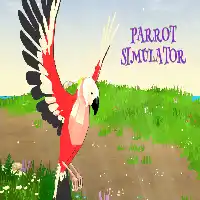
PARROT SIMULATOR















SIMILAR GAMES
































Game Description


Parrot Simulator - KBH Games
About Parrot Simulator - KBH Games
We present an immersive Parrot Simulator experience hosted on the KBH Games platform, designed to deliver authentic avian interaction within a virtual environment. The simulation integrates realistic movement mechanics, interactive dialogue systems, and vibrant visual assets that capture the essence of parrots in a stylized yet believable manner. Players gain access to a diverse array of parrot species, each equipped with distinct behavioral patterns and voice modules that respond to user input in real time.
Our development team focused on creating a dynamic ecosystem where the simulated parrots exhibit flocking behavior, foraging activities, and social hierarchies that mirror real-world avian communities. By leveraging advanced physics engines and procedural animation techniques, the game ensures smooth transitions between perching, flying, and landing actions, providing a seamless user experience that feels both engaging and natural.
Core Gameplay Mechanics
We have implemented a set of core mechanics that empower players to shape the environment and influence parrot behavior through intuitive controls. The following list outlines the primary interactive elements:
- Flight Control: Manipulate wing movements to navigate a three‑dimensional space with precision.
- Vocal Interaction: Emit a variety of calls and phrases that trigger responses from other parrots.
- Social Engagement: Form bonds, compete for resources, and establish hierarchies within the flock.
- Customization Options: Personalize plumage patterns, accessories, and habitat settings to reflect individual style.
Each mechanic is designed to encourage exploration and strategic planning, allowing users to experiment with different approaches to achieve in‑game objectives.
Detailed Features
Below we outline the rich feature set that distinguishes our Parrot Simulator from comparable titles:
- Realistic Audio Engine: Incorporates high‑fidelity sound recordings to replicate authentic parrot vocalizations.
- Procedural Habitat Generation: Creates diverse environments ranging from tropical rainforests to coastal cliffs.
- AI‑Driven Flock Dynamics: Employs machine learning algorithms to simulate complex social interactions.
- Multiplayer Support: Enables collaborative or competitive play with friends across global servers.
- Progressive Unlock System: Rewards achievements with new species, accessories, and map expansions.
These elements combine to form a comprehensive simulation that appeals to both casual players and enthusiasts seeking depth and replayability.
User Experience and Interface
We prioritize an intuitive interface that minimizes learning curves while maximizing engagement. The onboarding tutorial guides players through basic controls, then transitions into open‑ended exploration. Key interface components include:
- Contextual Menus: Offer quick access to customization, settings, and social features.
- Dynamic HUD Elements: Display vital information such as health, hunger, and flock status without obscuring the visual scene.
- Responsive Controls: Adapt to both keyboard/mouse and gamepad inputs, ensuring accessibility across devices.
Our design philosophy emphasizes feedback loops that reinforce positive actions, encouraging continued interaction and skill development.
Community and Support
We foster an active community around the Parrot Simulator, providing channels for feedback, content sharing, and collaborative development. Players can:
- Participate in regular Live Events that introduce temporary challenges and exclusive rewards.
- Submit custom Mod Packs via the official forum, expanding the game's creative possibilities.
- Access comprehensive Documentation and Tutorial Videos hosted on the KBH Games site.
For direct assistance, users may contact support through the official website at https://kbhgame.gitlab.io/. The support team is equipped to address technical issues, answer gameplay queries, and guide newcomers through advanced features.
Future Development Roadmap
Our development pipeline outlines several upcoming enhancements aimed at deepening the simulation experience:
- Introduction of Seasonal Events that alter environmental aesthetics and introduce limited‑time species.
- Expansion of the Customization Suite with additional feather patterns and interactive toys.
- Implementation of Advanced AI for predator avoidance and cooperative hunting strategies.
- Integration of Virtual Reality Compatibility to offer an immersive first‑person perspective.
These initiatives reflect our commitment to continuous improvement and sustained player satisfaction, ensuring that the Parrot Simulator remains a leading offering within the simulation genre.
Play Parrot Simulator for free on KBH Games, the top destination for KBH Games unblocked in the USA! Enjoy thousands of top-tier, browser-based games with no ads and instant access—perfect for school, work, or home. Whether you love action, puzzles, or sports, start playing with just a click or keyboard tap!
Why Choose KBH Games?
Unblocked games are a lifesaver when gaming sites are restricted. At KBH Games, we offer:
- Thousands of Games: Action, puzzles, sports, and more.
- No Downloads: Play instantly in your browser.
- Ad-Free Experience: Focus on fun, not pop-ups.
- Accessible Anywhere: Bypass school or work filters with ease.
Our platform is your go-to hub for free unblocked games, delivering endless entertainment wherever you are.
How to Play Unblocked Games on KBH Games
Getting started is simple! Follow these steps to enjoy unblocked games on KBH Games:
- Visit the Site: Open Chrome, Firefox, or Edge and go to KBH Games. No downloads needed!
- Browse Games: Explore our library of unblocked games—action, adventure, puzzles, and more.
- Pick a Game: Click a title to launch it in fullscreen mode instantly.
- Play Right Away: Most games load in seconds. Adjust settings if available.
- Bypass Blocks: Use our .io/GitLab link to access games on restricted networks.
- Enjoy Ad-Free Fun: Immerse yourself without interruptions.
Game Controls for Top Unblocked Games
Master your favorite unblocked games with these common controls. Check each game’s instructions for specifics.
Action & Platformers (e.g., Stickman, Retro Bowl)
- Arrow Keys/WASD: Move or jump.
- Spacebar: Attack or special moves.
- Shift: Sprint or dodge.
- Mouse Click: Aim or interact.
Puzzles & Strategy (e.g., 2048, Geometry Dash)
- Arrow Keys: Navigate elements.
- Mouse Click/Drag: Select or move items.
- Spacebar: Pause or confirm.
- Enter: Start/restart.
Sports & Racing (e.g., Slope Game)
- Arrow Keys/WASD: Steer or move.
- Spacebar: Jump or accelerate.
- Shift: Brake or boost.
- Mouse: Adjust angles.
Multiplayer & Arcade (e.g., Slither.io)
- Mouse: Guide your character.
- Left Click: Boost or activate.
- Arrow Keys: Move (some titles).
- Spacebar: Pause or special moves.
Tips for Smooth Gameplay on KBH Games
Maximize your fun with these pro tips:
- Read Instructions: Check tutorials on the start screen.
- Adjust Settings: Tweak graphics for lag-free play.
- Use Responsive Gear: Ensure your keyboard/mouse works well.
- Bookmark Us: Save KBH Games for quick access.
- Troubleshoot: Refresh or switch browsers if needed.