STICK MERGE HALLOWEEN















SIMILAR GAMES
































Game Description


Stick Merge Halloween - KBH Games
About Stick Merge Halloween - KBH Games
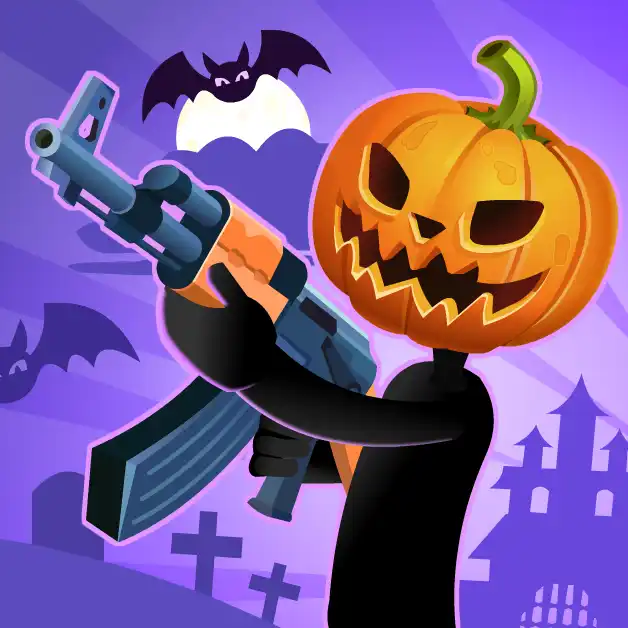
Stick Merge Halloween is an addictive online puzzle that brings the spirit of Halloween to life through simple yet challenging stick‑figure mechanics. The game is hosted on the popular gaming platform KBH Games, where players can dive into a festive environment filled with jack‑o‑lanterns, haunted houses, and mischievous creatures. This title stands out because it combines classic merge logic with seasonal visuals, offering a fresh experience that keeps players engaged for hours.
Gameplay Overview
The core mechanic revolves around merging identical stick figures to create more powerful entities while navigating a spooky board filled with obstacles. Each level introduces new elements such as cursed scrolls, invisible platforms, and moving platforms that require strategic thinking. Players start with a handful of basic characters and gradually unlock advanced forms by successfully combining matches. The intuitive drag‑and‑drop interface makes it easy for newcomers to grasp the rules, while the increasing difficulty ensures that seasoned gamers remain challenged.
Key Features
Stick Merge Halloween showcases a range of features designed to enhance replayability:
- Seasonal Themes: Festive Halloween decorations, eerie lighting, and creepy sound effects.
- Progressive Levels: Over fifty meticulously crafted stages that increase in complexity.
- Power‑Ups: Special items like Ghostly Blast and Phantom Shield that amplify merging capabilities.
- Leaderboards: Competitive rankings that allow players to compare scores with friends and the global community.
How to Play
To begin, users select a level and are presented with a grid populated by stick‑figure icons. The objective is to merge two or more identical icons by dragging one onto another. Upon successful merging, a new, stronger character appears, often with enhanced abilities. The process repeats until the player either clears the board or achieves a predetermined goal such as creating a specific Halloween-themed monster. The game automatically saves progress, allowing players to return and continue their spooky adventures.
Tips and Strategies
Mastering Stick Merge Halloween requires a blend of foresight and adaptability. Below are proven strategies that can boost performance:
- Plan Ahead: Before making a move, evaluate the entire board to identify potential chain reactions.
- Prioritize Rare Icons: Merging uncommon stick figures early can unlock powerful abilities later in the game.
- Utilize Power‑Ups Wisely: Save special items for moments when they can turn a losing position into a victory.
- Watch the Timer: Some levels impose time constraints; quick thinking and efficient merges are essential.
Community and Competition
The KBH Games platform fosters an active community where players share strategies, high scores, and custom level designs. Forums and chat rooms enable collaboration, while tournaments add a competitive edge that motivates participants to refine their skills. Engaging with the community not only enhances enjoyment but also provides insight into hidden tricks that can accelerate progress.
Why Stick Merge Halloween Stands Out
Unlike many generic puzzle games, Stick Merge Halloween leverages a distinctive aesthetic that captures the essence of Halloween without relying on graphic violence. The stick‑figure art style offers a clean visual experience, while the merge mechanics provide depth and replay value. Moreover, the seamless integration with KBH Games ensures fast loading times and a smooth user experience across devices.
Conclusion
Overall, Stick Merge Halloween represents a compelling blend of simplicity and challenge, making it an ideal choice for players seeking a festive yet intellectually stimulating pastime. Whether you are a casual gamer looking for a quick diversion or a seasoned puzzle enthusiast aiming for mastery, the game offers endless opportunities for fun and strategic thinking.
Play Stick Merge Halloween for free on KBH Games, the top destination for KBH Games unblocked in the USA! Enjoy thousands of top-tier, browser-based games with no ads and instant access—perfect for school, work, or home. Whether you love action, puzzles, or sports, start playing with just a click or keyboard tap!
Why Choose KBH Games?
Unblocked games are a lifesaver when gaming sites are restricted. At KBH Games, we offer:
- Thousands of Games: Action, puzzles, sports, and more.
- No Downloads: Play instantly in your browser.
- Ad-Free Experience: Focus on fun, not pop-ups.
- Accessible Anywhere: Bypass school or work filters with ease.
Our platform is your go-to hub for free unblocked games, delivering endless entertainment wherever you are.
How to Play Unblocked Games on KBH Games
Getting started is simple! Follow these steps to enjoy unblocked games on KBH Games:
- Visit the Site: Open Chrome, Firefox, or Edge and go to KBH Games. No downloads needed!
- Browse Games: Explore our library of unblocked games—action, adventure, puzzles, and more.
- Pick a Game: Click a title to launch it in fullscreen mode instantly.
- Play Right Away: Most games load in seconds. Adjust settings if available.
- Bypass Blocks: Use our .io/GitLab link to access games on restricted networks.
- Enjoy Ad-Free Fun: Immerse yourself without interruptions.
Game Controls for Top Unblocked Games
Master your favorite unblocked games with these common controls. Check each game’s instructions for specifics.
Action & Platformers (e.g., Stickman, Retro Bowl)
- Arrow Keys/WASD: Move or jump.
- Spacebar: Attack or special moves.
- Shift: Sprint or dodge.
- Mouse Click: Aim or interact.
Puzzles & Strategy (e.g., 2048, Geometry Dash)
- Arrow Keys: Navigate elements.
- Mouse Click/Drag: Select or move items.
- Spacebar: Pause or confirm.
- Enter: Start/restart.
Sports & Racing (e.g., Slope Game)
- Arrow Keys/WASD: Steer or move.
- Spacebar: Jump or accelerate.
- Shift: Brake or boost.
- Mouse: Adjust angles.
Multiplayer & Arcade (e.g., Slither.io)
- Mouse: Guide your character.
- Left Click: Boost or activate.
- Arrow Keys: Move (some titles).
- Spacebar: Pause or special moves.
Tips for Smooth Gameplay on KBH Games
Maximize your fun with these pro tips:
- Read Instructions: Check tutorials on the start screen.
- Adjust Settings: Tweak graphics for lag-free play.
- Use Responsive Gear: Ensure your keyboard/mouse works well.
- Bookmark Us: Save KBH Games for quick access.
- Troubleshoot: Refresh or switch browsers if needed.