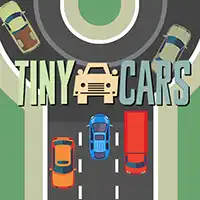
TINY CARS















SIMILAR GAMES
































Game Description


Tiny Cars - KBH Games
About Tiny Cars - KBH Games
Welcome to the world of Tiny Cars, a high‑speed racing experience hosted on KBH Games. This title blends fast‑paced competition with simple controls, making it accessible to newcomers while still offering depth for seasoned racers. Designed as a browser‑based title, it runs smoothly on a wide range of devices, allowing players to jump straight into action without lengthy installations.
The game showcases a vibrant collection of miniature vehicles, each crafted with distinct visual flair and performance characteristics. From sleek sports compact models to rugged off‑road trucks, every car feels unique, encouraging players to experiment with different strategies and tactics.
Game Overview
Tiny Cars places you in a series of increasingly challenging tracks that test reflexes, precision, and tactical thinking. The objective is straightforward: out‑maneuver opponents, collect power‑ups, and finish each race in the top position. despite its minimalist aesthetic, the game features a robust physics engine that governs vehicle handling, collisions, and environmental interactions.
Key highlights include:
- Multiple game modes such as Time Trial, Multiplayer, and Tournament.
- Customizable control schemes to suit different playstyles.
- Dynamic weather effects that influence traction and visibility.
Core Mechanics
Understanding the core mechanics is essential for mastering Tiny Cars. The game utilizes a combination of acceleration, braking, and steering inputs that respond instantly to player commands. Several fundamental systems shape the gameplay:
- Acceleration Control – Hold the accelerator to increase speed, with a gradual ramp‑up to prevent sudden spikes.
- Braking Precision – Tap the brake at the right moment to maintain momentum while navigating tight corners.
- Drift Mechanic – Initiate a drift by combining steer and brake inputs, allowing for faster corner entry.
- Power‑Up System – Collect items such as Nitro Boosts, Shield Capsules, and Turbo Fans to gain temporary advantages.
Visual Design
The visual presentation of Tiny Cars combines bright, stylized environments with smooth animation. Each track is meticulously designed to reflect a specific theme, ranging from neon‑lit cityscapes to sun‑bathed desert highways. The art direction emphasizes clarity, ensuring that players can always discern the road layout, obstacles, and opponent positions.
Sound Design complements the visual experience through a dynamic soundtrack that adapts to race intensity. Engine roars, tire screeches, and crowd cheers enhance immersion, providing auditory cues that help players gauge performance.
Progression System
Advancement in Tiny Cars is driven by a tiered progression model. As players accumulate points from races, they unlock new vehicles, upgrade existing ones, and gain access to higher‑level tracks. Upgrades focus on enhancing key attributes such as top speed, handling stability, and acceleration.
The progression path includes:
- Beginner Tier – Entry‑level cars with balanced performance.
- Intermediate Tier – Faster models equipped with upgraded suspension.
- Expert Tier – High‑performance vehicles featuring advanced aerodynamics.
Community Features
Social interaction is a cornerstone of the KBH Games experience. Players can compete on global leaderboards, share replay highlights, and join seasonal events that introduce exclusive challenges and rewards. Community competitions foster a spirit of friendly rivalry, encouraging participants to refine their skills and climb the ranks.
For those seeking collaboration, the platform offers team‑based modes where groups can coordinate strategies and compete for collective prize pools.
How to Start Playing
To begin your journey with Tiny Cars, simply visit https://kbhgame.gitlab.io/ and locate the game within the catalog. Once loaded, select your preferred vehicle, customize controls if desired, and dive into your first race. Tutorial prompts guide newcomers through essential mechanics, ensuring a smooth onboarding process.
Whether you aim to perfect lap times, dominate multiplayer matchups, or simply enjoy a quick burst of entertainment, Tiny Cars offers an engaging and accessible experience that appeals to racers of all skill levels.
Play Tiny Cars for free on KBH Games, the top destination for KBH Games unblocked in the USA! Enjoy thousands of top-tier, browser-based games with no ads and instant access—perfect for school, work, or home. Whether you love action, puzzles, or sports, start playing with just a click or keyboard tap!
Why Choose KBH Games?
Unblocked games are a lifesaver when gaming sites are restricted. At KBH Games, we offer:
- Thousands of Games: Action, puzzles, sports, and more.
- No Downloads: Play instantly in your browser.
- Ad-Free Experience: Focus on fun, not pop-ups.
- Accessible Anywhere: Bypass school or work filters with ease.
Our platform is your go-to hub for free unblocked games, delivering endless entertainment wherever you are.
How to Play Unblocked Games on KBH Games
Getting started is simple! Follow these steps to enjoy unblocked games on KBH Games:
- Visit the Site: Open Chrome, Firefox, or Edge and go to KBH Games. No downloads needed!
- Browse Games: Explore our library of unblocked games—action, adventure, puzzles, and more.
- Pick a Game: Click a title to launch it in fullscreen mode instantly.
- Play Right Away: Most games load in seconds. Adjust settings if available.
- Bypass Blocks: Use our .io/GitLab link to access games on restricted networks.
- Enjoy Ad-Free Fun: Immerse yourself without interruptions.
Game Controls for Top Unblocked Games
Master your favorite unblocked games with these common controls. Check each game’s instructions for specifics.
Action & Platformers (e.g., Stickman, Retro Bowl)
- Arrow Keys/WASD: Move or jump.
- Spacebar: Attack or special moves.
- Shift: Sprint or dodge.
- Mouse Click: Aim or interact.
Puzzles & Strategy (e.g., 2048, Geometry Dash)
- Arrow Keys: Navigate elements.
- Mouse Click/Drag: Select or move items.
- Spacebar: Pause or confirm.
- Enter: Start/restart.
Sports & Racing (e.g., Slope Game)
- Arrow Keys/WASD: Steer or move.
- Spacebar: Jump or accelerate.
- Shift: Brake or boost.
- Mouse: Adjust angles.
Multiplayer & Arcade (e.g., Slither.io)
- Mouse: Guide your character.
- Left Click: Boost or activate.
- Arrow Keys: Move (some titles).
- Spacebar: Pause or special moves.
Tips for Smooth Gameplay on KBH Games
Maximize your fun with these pro tips:
- Read Instructions: Check tutorials on the start screen.
- Adjust Settings: Tweak graphics for lag-free play.
- Use Responsive Gear: Ensure your keyboard/mouse works well.
- Bookmark Us: Save KBH Games for quick access.
- Troubleshoot: Refresh or switch browsers if needed.