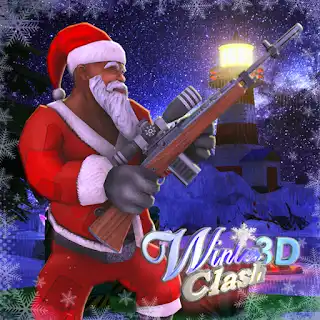
WINTER CLASH 3D















SIMILAR GAMES
































Game Description


Winter Clash 3d - KBH Games
About Winter Clash 3d - KBH Games
We present an immersive experience that places players in a frozen battlefield where strategy, reflexes, and teamwork dominate. The title combines realistic physics with fast‑paced action, allowing us to deliver a dynamic environment that reacts to every move. As part of the KBH Games portfolio, this offering showcases cutting‑edge graphics, fluid animations, and a soundtrack that amplifies the chill of the arena.
Our commitment to continuous improvement drives frequent updates that introduce new maps, weapons, and gameplay modes. By listening to community feedback, we ensure that each season feels fresh while preserving the core elements that define the experience.
Game Overview
Winter Clash 3d pits teams of up to eight players against each other in objective‑based matches set against snow‑covered landscapes. Each round lasts a limited time, encouraging quick decision‑making and aggressive positioning. The game emphasizes balanced load‑outs, where each weapon possesses unique characteristics that reward mastery.
- Multiple game modes including Capture the Flag, Domination, and Free‑For‑All.
- Robust customization system for avatars, gear, and visual effects.
- Integrated matchmaking that pairs players of similar skill levels.
Key Features
We have built a suite of features that enhance replayability and depth:
- Dynamic Weather System – Snowfall intensity and wind affect visibility and movement.
- Procedural Map Generation – Each match generates a slightly different layout, keeping strategies unpredictable.
- Advanced Physics Engine – Snow drifts, slippery surfaces, and object interactions behave realistically.
- Cross‑Platform Support – Play seamlessly across PC and mobile devices.
Gameplay Mechanics
Movement and Controls
We designed the control scheme to be intuitive yet deep. Players can sprint, slide, and perform evasive rolls to outmaneuver opponents. The sprint stamina meter adds a tactical layer, forcing timing considerations during high‑intensity chases.
- Press W to move forward, S to move backward.
- Use A and D for lateral movement.
- Hold Shift to sprint, watching the stamina bar.
- Press Space to jump, and Ctrl to slide on icy surfaces.
Combat System
The combat system blends precision aiming with strategic weapon selection. Each gun features distinct recoil patterns, fire rates, and spread, encouraging players to adapt their tactics based on the chosen arsenal.
- Equip primary weapons such as the Ice Rifle, Frost Shotgun, or Blizzard SMG.
- Switch to secondary gadgets like the Snow Grenade for area denial.
- Utilize the Healing Drone to restore health during brief safe windows.
- Activate the Shield Pulse to temporarily protect teammates.
Visual and Audio Design
We invested heavily in creating a visually striking winter aesthetic. High‑resolution textures detail frost, ice, and snow accumulation on surfaces. Lighting shifts dynamically between day and night, casting realistic shadows that influence visibility.
- Particle effects simulate snowfall, footstep crunches, and bullet tracers.
- Ambient soundscapes include whistling winds, distant howls, and the subtle crack of ice.
- Character voice lines convey personality while providing tactical cues.
Community and Updates
We maintain an active dialogue with players through forums, social media, and in‑game feedback channels. Seasonal events introduce limited‑time challenges, exclusive skins, and leaderboard rewards.
- Monthly balance patches adjust weapon statistics and map anomalies.
- Quarterly map expansions add new terrains such as icy citadels and frozen forests.
- Community tournaments showcase top talent and reward participants with rare cosmetic items.
For the latest news and patch notes, visit the official hub at KBH Game.
How to Get Started
We guide new players through a streamlined onboarding process:
- Download the game client from the official website.
- Create a free account or link an existing KBH Games profile.
- Complete the tutorial mission to learn basic controls and combat fundamentals.
- Select a load‑out that matches your preferred playstyle and join a ranked or casual match.
Mastery comes with practice, and we encourage experimentation with different weapons and strategies to discover the optimal approach for each map.
Play Winter Clash 3d for free on KBH Games, the top destination for KBH Games unblocked in the USA! Enjoy thousands of top-tier, browser-based games with no ads and instant access—perfect for school, work, or home. Whether you love action, puzzles, or sports, start playing with just a click or keyboard tap!
Why Choose KBH Games?
Unblocked games are a lifesaver when gaming sites are restricted. At KBH Games, we offer:
- Thousands of Games: Action, puzzles, sports, and more.
- No Downloads: Play instantly in your browser.
- Ad-Free Experience: Focus on fun, not pop-ups.
- Accessible Anywhere: Bypass school or work filters with ease.
Our platform is your go-to hub for free unblocked games, delivering endless entertainment wherever you are.
How to Play Unblocked Games on KBH Games
Getting started is simple! Follow these steps to enjoy unblocked games on KBH Games:
- Visit the Site: Open Chrome, Firefox, or Edge and go to KBH Games. No downloads needed!
- Browse Games: Explore our library of unblocked games—action, adventure, puzzles, and more.
- Pick a Game: Click a title to launch it in fullscreen mode instantly.
- Play Right Away: Most games load in seconds. Adjust settings if available.
- Bypass Blocks: Use our .io/GitLab link to access games on restricted networks.
- Enjoy Ad-Free Fun: Immerse yourself without interruptions.
Game Controls for Top Unblocked Games
Master your favorite unblocked games with these common controls. Check each game’s instructions for specifics.
Action & Platformers (e.g., Stickman, Retro Bowl)
- Arrow Keys/WASD: Move or jump.
- Spacebar: Attack or special moves.
- Shift: Sprint or dodge.
- Mouse Click: Aim or interact.
Puzzles & Strategy (e.g., 2048, Geometry Dash)
- Arrow Keys: Navigate elements.
- Mouse Click/Drag: Select or move items.
- Spacebar: Pause or confirm.
- Enter: Start/restart.
Sports & Racing (e.g., Slope Game)
- Arrow Keys/WASD: Steer or move.
- Spacebar: Jump or accelerate.
- Shift: Brake or boost.
- Mouse: Adjust angles.
Multiplayer & Arcade (e.g., Slither.io)
- Mouse: Guide your character.
- Left Click: Boost or activate.
- Arrow Keys: Move (some titles).
- Spacebar: Pause or special moves.
Tips for Smooth Gameplay on KBH Games
Maximize your fun with these pro tips:
- Read Instructions: Check tutorials on the start screen.
- Adjust Settings: Tweak graphics for lag-free play.
- Use Responsive Gear: Ensure your keyboard/mouse works well.
- Bookmark Us: Save KBH Games for quick access.
- Troubleshoot: Refresh or switch browsers if needed.